1
Check kids in
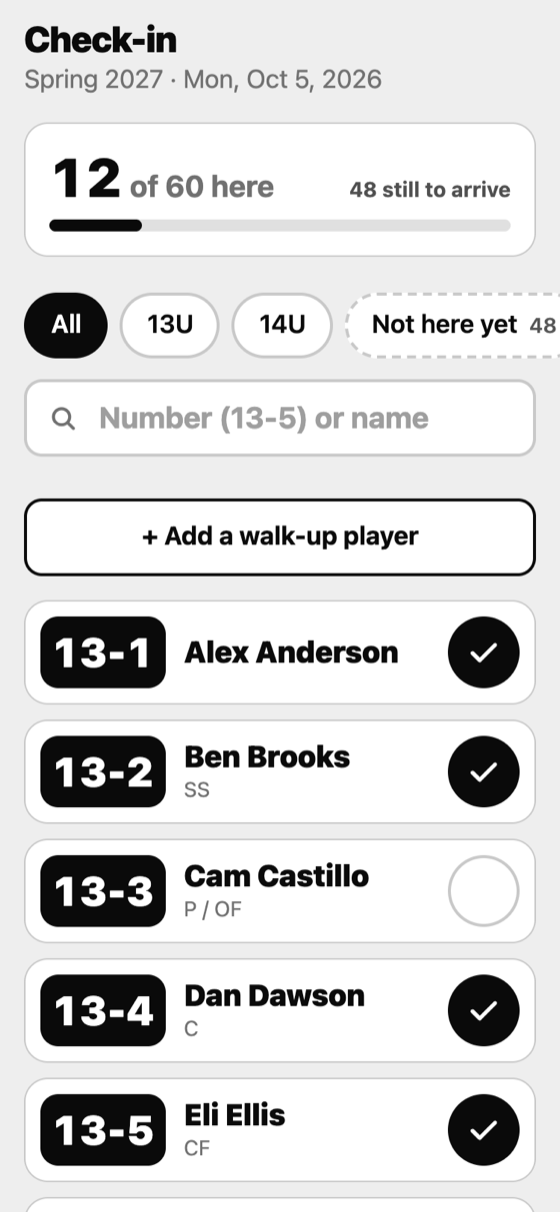
Tap each player as they arrive and see who is still on their way. A kid who turns up without being registered is added on the spot: they get the next number in their age group and are checked in.
Baseball tryouts, made simple
Check kids in, grade every skill, rank fairly, choose teams together and send each family a report. BamBam works at the field, with or without signal.
Tested with hundreds of players and 35 coaches entering scores at the same time.
How a tryout runs
Tap each player as they arrive and see who is still on their way. A kid who turns up without being registered is added on the spot: they get the next number in their age group and are checked in.
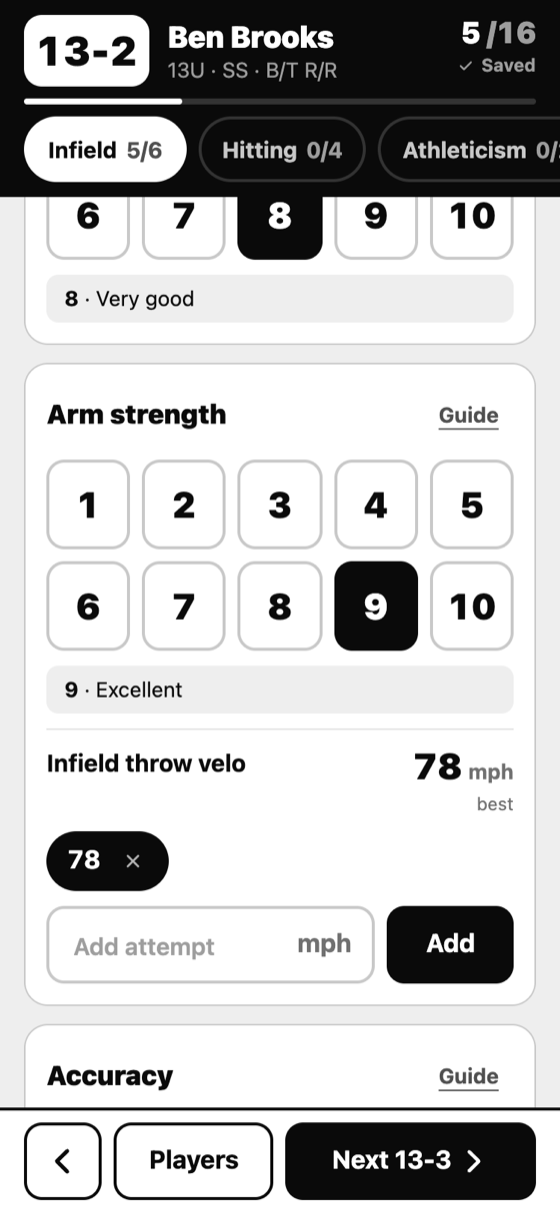
Tap 1 to 10 for each skill. Type a velocity or a time inside the same card, so there is no scrolling and no second screen. Plain words under every number (Poor, Good, Very good, Elite) keep every coach speaking the same language.
Several coaches can grade the same player at once, and a coach sees what the others scored only after entering their own.
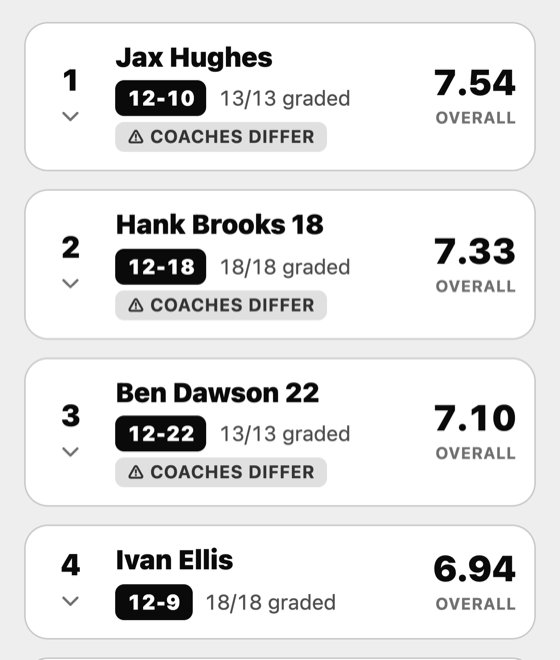
Every grade is the average of all your coaches, exactly as entered. Every section counts equally. A player only gets a rank once they are fully graded, so a half-graded kid can never land at number one.
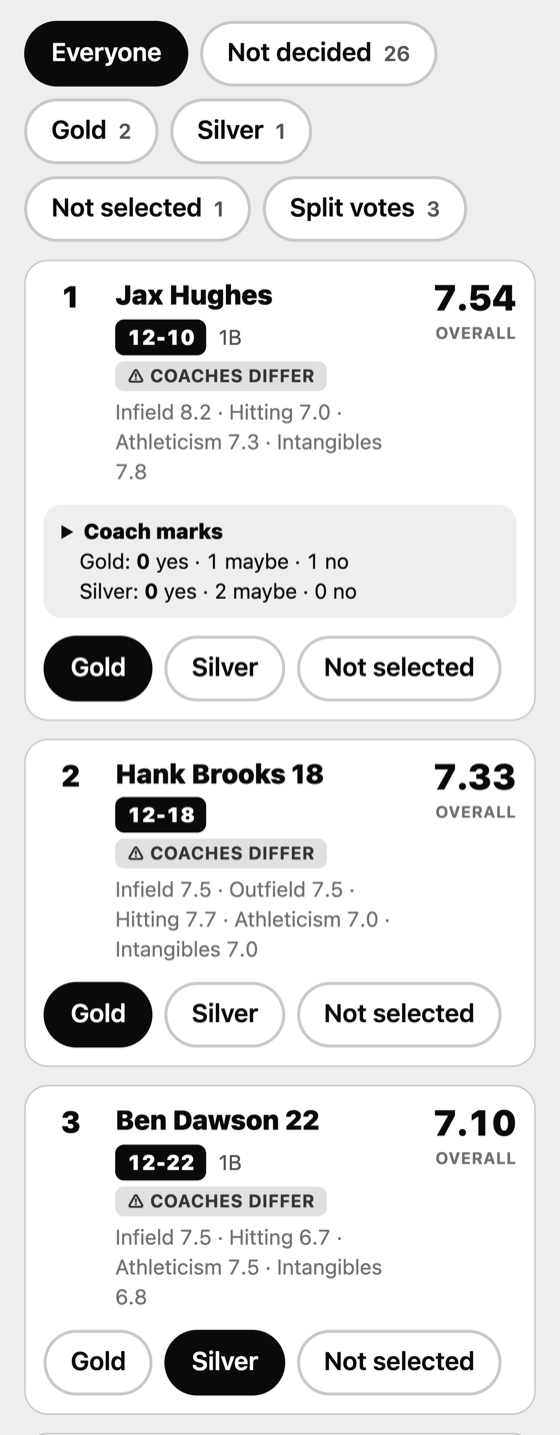
Where coaches disagree by three points or more, BamBam flags it so you can talk it over.
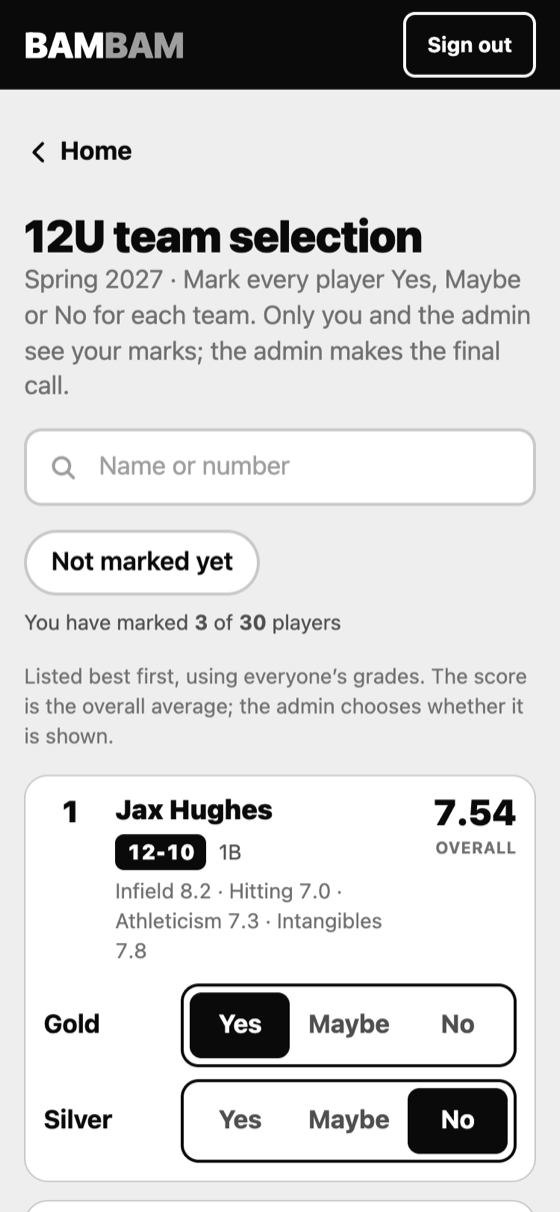
Open voting and your coaches mark every player Yes, Maybe or No for each team. Each coach sees only their own marks. You see everyone's, who agrees and where the votes split, and then you make the final call.
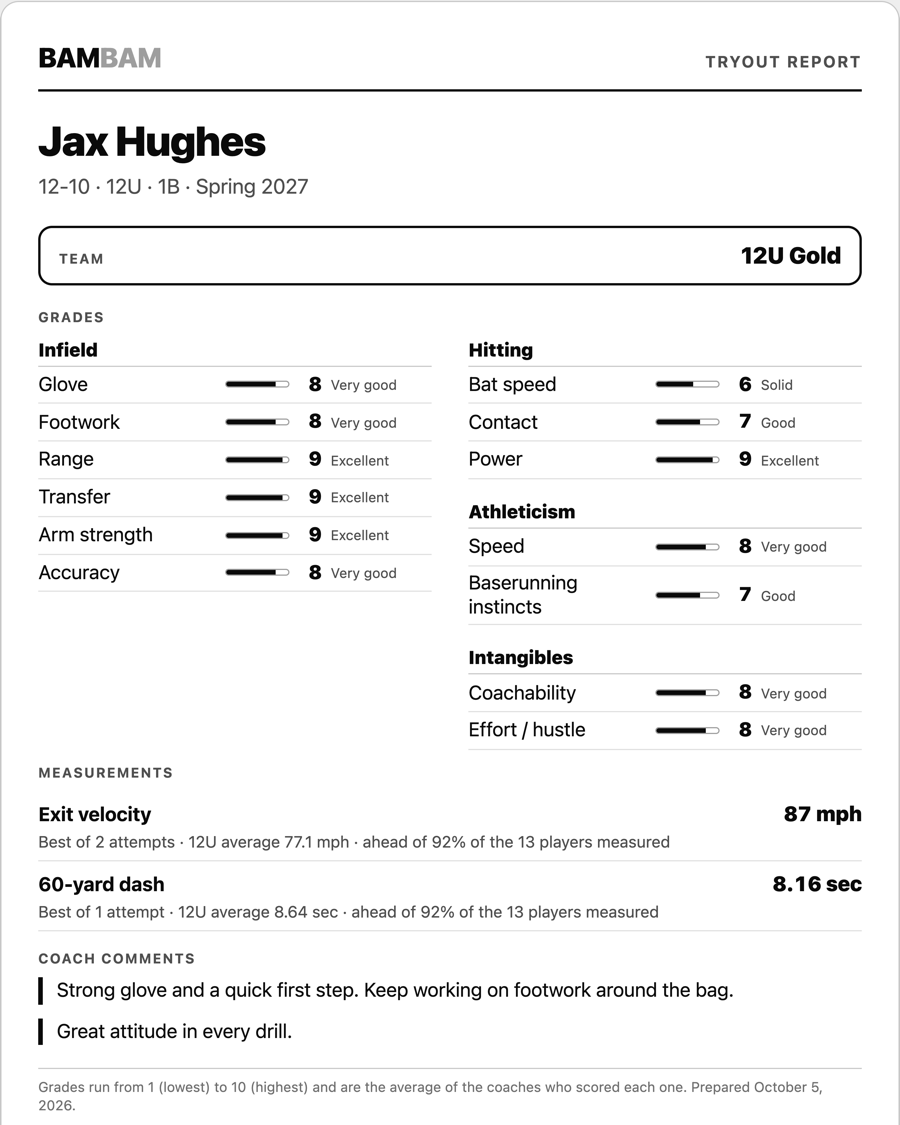
One page per player: the grades with their words, measurements compared with the age group, the coaches' comments for parents, and the team. Print it or save it as a PDF and send it your own way. BamBam never emails families for you.
Made for the field
Every tap is saved on the phone first and sent in the background. Walk to the far field, lose your bars, keep grading. Everything catches up when the signal comes back.
If two phones disagree, the newest tap wins. If a coach's phone is stuck, you see it on the Live screen while there is still time to fix it.
Big buttons, no hunting for the velocity box, and a number-first search: type 5 to find number 5. Built to be used standing up, in the sun.
Parent phone numbers and emails are visible to the admin only. Coaches see only the tryouts they are invited to, and only around the tryout dates. Private notes stay private.
Everything in one place
Questions
No app store. Coaches scan a QR code or open a link, sign in with a code sent to their email, and add BamBam to their home screen. After that it opens like any other app.
Grading and check-in keep working. Changes are saved on the phone and sent as soon as there is signal. Adding a walk-up player needs a connection, because the server hands out the next number.
Only the people you invite. Parent contact details are visible to the admin only. Coaches see the players in the tryouts they are invited to, around the tryout dates, and the team-selection screen once you open it.
No. BamBam makes the one-page report. You decide how it reaches each family: print it, or save the PDF and send it yourself.
Yes. Add, rename, hide and reorder sections and grades, choose who each section is for (everyone, pitchers, catchers and so on), and change the words for 1 to 10.
We are finalizing pricing. Ask for early access and we will share it.
We are opening it to a small number of clubs first. Tell us about your tryouts: how many players, how many coaches, and when.
hello@bambamtryout.com